

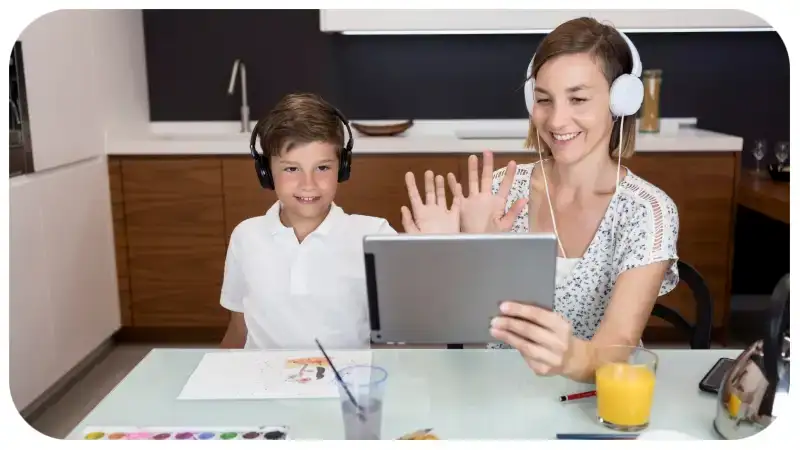
Children love videos, but finding content that fits their age can be a challenge for parents. With countless videos available online, it is easy for young viewers to move from one harmless video to something a parent would rather they avoid. YouTube Kids offers a child-focused viewing experience designed to make that process easier to manage.
YouTube Kids includes age-based content options and several parental controls. Parents can manage search, block videos or channels, set viewing limits, and choose how much freedom a child has when exploring videos. Understanding these tools can help families create a more suitable viewing environment.
What Is YouTube Kids?
YouTube Kids is a separate video experience created for children. It provides access to entertainment, educational programs, music, cartoons, crafts, stories, and other types of family-oriented content.
Unlike the standard YouTube platform, the service includes settings designed specifically for parents.These controls give parents more say over the videos their children find and the way they use the platform.
The system uses automated technology, user feedback, and human review as part of its approach to selecting and managing content. However, parents should understand that no automated filtering system can identify every unsuitable video perfectly.
That is why parental controls and active supervision remain useful.
Who Is YouTube Kids Designed For?
The platform is mainly intended for children who are not yet ready to use the full version of YouTube independently.
During setup, parents can select an experience based on the child’s age. The available categories generally include:
- Preschool
- Younger
- Older
- Parent-approved content
Each option provides a different level of access.
Younger children generally receive a narrower selection, while older children can access a wider range of subjects and entertainment.
Parents can also adjust settings as their child’s interests and level of independence change.
YouTube Kids Age Settings Explained
Preschool
The Preschool option is designed around the interests of very young children. Content can include simple learning activities, songs, stories, creativity, and basic exploration.
This setting is useful for children who benefit from a relatively limited selection of videos.
Parents should still check the content their child watches because age-based filtering does not mean every individual video has been personally reviewed for that specific child.
Younger
The Younger setting provides a broader collection for children roughly in the early elementary-school years.
Videos may cover cartoons, music, crafts, learning activities, hobbies, and other subjects that appeal to children.
Search availability can give children more independence, although parents can turn Search off if they prefer a more controlled experience.
Older
The Older setting provides a wider range of subjects for children approaching their teenage years.
Depending on availability, children may encounter videos related to gaming, science, music, hobbies, educational topics, and entertainment.
The wider selection also means parents may want to pay closer attention to the channels their children regularly watch.
How YouTube Kids Parental Controls Work
One of the biggest advantages of YouTube Kids is the ability to customize the experience.
Parents can access several controls that affect what children can watch and how they use the service.
Important options include:
- Selecting an age-based content level
- Turning Search on or off
- Blocking individual videos
- Blocking channels
- Approving specific content
- Setting a viewing timer
- Managing profiles
- Adjusting other viewing preferences
These controls do not eliminate every potential problem, but they give parents more ways to manage their child’s experience.
The “Approve Content Yourself” Option
Parents who want maximum control can choose an approval-based setup.
With this option, the child can only watch videos, channels, or collections that the parent has specifically approved. Children cannot use the search feature when this setting is enabled.
This option works well for younger children who may benefit from having a smaller, more carefully selected range of videos.
For example, a parent could create a small collection containing:
- Preschool learning videos
- Children’s songs
- Storytelling channels
- Drawing tutorials
- Simple science demonstrations
- Educational activities
The main disadvantage is that parents have to spend more time selecting content.
Can YouTube Kids Guarantee Safe Content?
No digital video service can ensure that every piece of content will suit the needs and age of every child.
YouTube uses technology and other review methods to manage content, but filtering systems have limitations. A video that seems acceptable to one family may also be unsuitable for another because children have different ages, sensitivities, interests, and levels of maturity.
Parents can help by checking what their children watch and using the available controls when necessary.
If a child encounters something inappropriate, parents can use blocking or reporting tools rather than simply relying on the automatic recommendations.
How to Manage Search
Search gives children the ability to look for specific topics. This can be useful when a child wants to learn about animals, space, crafts, music, or another subject.
However, search also gives children more freedom to discover videos without a parent selecting each one.
Parents who prefer tighter control can disable Search.
When Search is turned off, the child’s access becomes more limited, which can make it easier for parents to manage the viewing environment.
Every family has different needs, so the ideal setting can vary from one household to another.
Parents can decide whether their child is ready to search independently and change the setting later.
Blocking Videos and Channels
Sometimes a parent may find a video or channel that they do not want their child to watch.
The blocking feature can help in these situations. Parents can block particular videos or channels through the available controls.
For example, if a child repeatedly encounters videos that are too frightening, confusing, or unsuitable for their age, a parent can block the relevant content.
Blocking one channel does not mean similar material cannot appear elsewhere, so parents should continue checking the child’s viewing habits.
Reporting is another option when content appears to violate platform rules.
Setting a Screen-Time Timer
Managing screen time can be just as important as managing video content.
YouTube Kids includes a timer that allows parents to establish a viewing period. Once the selected time ends, the app stops the viewing session.
A timer can be helpful because it creates a clear boundary without requiring a parent to repeatedly tell a child to stop watching.
Parents can combine the timer with household rules, such as:
- No videos during meals
- No screens immediately before bedtime
- Homework before entertainment
- Breaks between longer viewing sessions
- Screen-free family activities
The right routine depends on the child’s age and the family’s schedule.
Educational Videos and Learning
A major attraction of children’s video platforms is the amount of educational material available.
Children may find videos about:
- Numbers and mathematics
- Reading
- Science
- Animals
- Nature
- Music
- Art
- Crafts
- Geography
- Simple experiments
- Language learning
Parents can make educational viewing more useful by choosing videos that match their child’s interests.
For instance, a child who loves dinosaurs may be more interested in a science video about fossils than a general educational lesson. Matching learning content with existing interests can make screen time more engaging.
Still, parents should evaluate the quality of educational videos rather than assuming that a video is accurate simply because it uses educational language.
YouTube Kids vs. Regular YouTube
The main difference is the intended viewing environment.
Regular YouTube contains an enormous variety of content aimed at many different audiences. YouTube Kids provides a more restricted environment with child-focused settings and parental controls.
Families also have the option of using supervised experiences on YouTube as children become ready for a broader range of content.
The appropriate choice depends on several factors, including:
- Child’s age
- Maturity
- Independence
- Interests
- Parent’s preferred level of control
- Type of content the child wants to watch
Younger children may benefit from a more controlled environment, while older children may eventually need a gradual transition toward broader online access.
Practical Tips for Parents
Check the Settings Regularly
Children grow quickly, and their viewing habits change with them. Review the settings occasionally instead of choosing them once and forgetting about them.
Look at Viewing Habits
Pay attention to the channels and subjects your child watches most often. This gives you a better understanding of their actual viewing experience.
Use Blocking Tools
If a particular video or channel is unsuitable for your family, use the available blocking option.
Consider Disabling Search
For younger children, turning Search off can reduce unexpected discoveries and provide a more limited selection.
Use a Timer
A timer can help children understand when entertainment time ends. It also reduces repeated arguments about when they need to stop watching.
Watch Together
You do not have to watch every video with your child, but occasional co-viewing can be valuable.
Ask questions such as:
- “What did you learn?”
- “Why did you like this video?”
- “Do you think that information is correct?”
- “What would you like to learn about next?”
These conversations can help children become more thoughtful viewers.
Teach Children What to Do When Something Feels Wrong
Children should know that they can stop a video if something makes them uncomfortable.
Teach them to tell a parent or another trusted adult if they see something frightening, confusing, or inappropriate.
Frequently Asked Questions
Is YouTube Kids free?
YouTube Kids is available as a children’s viewing service. Certain additional features or benefits may depend on YouTube’s current subscription options and the user’s country.
Can parents turn Search off?
Yes. Parents can disable Search through the available parental settings. This provides a more controlled viewing experience.
Can parents block a channel?
Yes. Parents can block individual channels or videos using the platform’s available controls.
Can parents choose every video their child watches?
Yes. The approval-based content option allows parents to select the videos, channels, or collections their child can access.
Does YouTube Kids have a timer?
Yes. Parents can use the built-in timer to limit a child’s viewing session.
Are all videos manually reviewed?
No. Content management uses a combination of automated systems, user feedback, and human review. Parents should therefore continue to use their own judgment.
Final Thoughts
YouTube Kids can be a useful option for families who want children to enjoy online videos in a more controlled environment. Its age settings, search controls, blocking features, approval options, and timer give parents several ways to customize the experience.
The most effective approach is not simply to turn on the app and walk away. Parents should choose suitable settings, review viewing habits, adjust controls as children grow, and talk with them about responsible online behavior.
Used thoughtfully, the platform can support entertainment and learning while giving parents greater control over what their children encounter online.










Leave a Reply